

How to Connect to Free Wi-Fi in Malaysia

Introduction
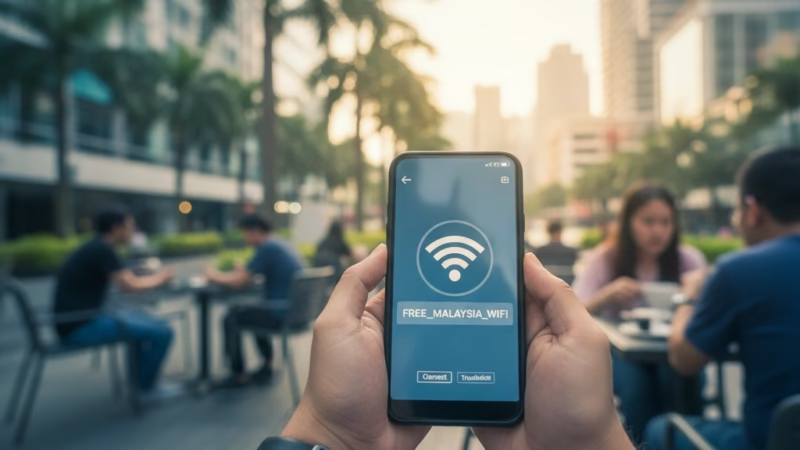
If you’re traveling in Malaysia and want to stay connected without burning through your data, you’ll be happy to know that free Wi-Fi is widely available across cities, airports, cafes, malls, and even public transport. This guide explains exactly how to connect to free Wi-Fi in Malaysia — safely, easily, and without hassle. Whether you’re a tourist or a digital nomad, these simple steps will help you get online anytime, anywhere.
Step 1: Know Where to Find Free Wi-Fi
Start by identifying common Wi-Fi hotspots. In Malaysia, free Wi-Fi is available in:
- Airports (KLIA, Penang International, Kota Kinabalu)
- Shopping malls (Pavilion Kuala Lumpur, Suria KLCC, Mid Valley)
- Cafes & restaurants (Starbucks, McDonald’s, Tealive)
- Public transport hubs (LRT/MRT stations, bus terminals)
- Hotels & libraries (most offer complimentary access)
💡 Tip: Look for network names like “WiFi@Malaysia,” “FreeWiFi,” or the venue’s official name.
Step 2: Turn On Your Wi-Fi
Go to your device settings:
- On Android/iPhone, open Settings > Wi-Fi > Turn On.
- On laptops, click the Wi-Fi icon in your taskbar or toolbar and switch it on.
Your device will display all available networks nearby.
Step 3: Select a Trusted Network
Choose a network that matches the place you’re in — for example, “Starbucks_WiFi” or “KLIA-Free-WiFi.”
Avoid suspicious names like “Free_WiFi_123” or “OpenWiFi,” as these may be fake networks set up by hackers.
💡 Tip: If unsure, ask the staff at the café, hotel, or information counter for the correct Wi-Fi name.
Step 4: Open Your Browser and Log In
Once connected, most free Wi-Fi in Malaysia will direct you to a login or splash page.
- Enter your email address or phone number, and agree to the terms of use.
- Some networks may require a quick SMS verification or social media login.
After this step, you’ll be granted access — usually for 1–3 hours, depending on the location.
Step 5: Stay Safe While Using Public Wi-Fi
Public networks are convenient but not always secure. Follow these safety tips:
- Avoid accessing banking or personal accounts.
- Use a VPN (Virtual Private Network) for encrypted browsing.
- Turn off file sharing and AirDrop while connected.
- Log out after use and “Forget” the network if you don’t need it later.
💡 Tip: Free VPNs like ProtonVPN or paid ones like NordVPN can add an extra layer of security.
Step 6: Extend Your Connection Options
If you need more consistent access:
- Visit local libraries or co-working spaces that offer reliable free Wi-Fi.
- Check your mobile provider app (like Maxis, CelcomDigi, or U Mobile) — many offer access to partner hotspots for customers.
FAQs
1. Is free Wi-Fi in Malaysia safe?
Generally yes, but always use caution. Avoid sharing sensitive data unless you’re using a VPN.
2. Do I need a Malaysian number to connect?
Not always. Some networks ask for a phone number for verification, but many allow email-based logins.
3. Can I get free Wi-Fi on public transport?
Yes! Certain LRT, MRT, and RapidKL buses offer complimentary Wi-Fi to passengers.
4. What should I do if the Wi-Fi doesn’t load?
Try refreshing your browser, forgetting and reconnecting to the network, or moving closer to the access point.

- Temperature
- Precipitation
- Rain Chance
- Wind
- Humidity
- Pressure


Conclusion
Connecting to free Wi-Fi in Malaysia is simple, convenient, and widely accessible — perfect for travelers wanting to stay connected without roaming charges. By choosing trusted networks and following safe browsing practices, you can enjoy seamless internet access wherever you go. Stay smart, stay safe, and enjoy exploring Malaysia while staying online!












Comments are closed.